> ## Documentation Index
> Fetch the complete documentation index at: https://help.superinbox.com/llms.txt
> Use this file to discover all available pages before exploring further.
# Superinbox's signature link
> Save on your Superinbox subscription with your referral signature link.
## **Win-win rewards**:
* **For them**: You gift new users their first month of SuperInbox Pro completely free
* **For you**: Earn one free month of your current subscription for every successful referral.
## How It Works
SuperInbox automatically adds "**Written with SuperInbox**" to emails where AI generated your draft. When someone clicks this link, they see your referral page and can sign up for a free trial.
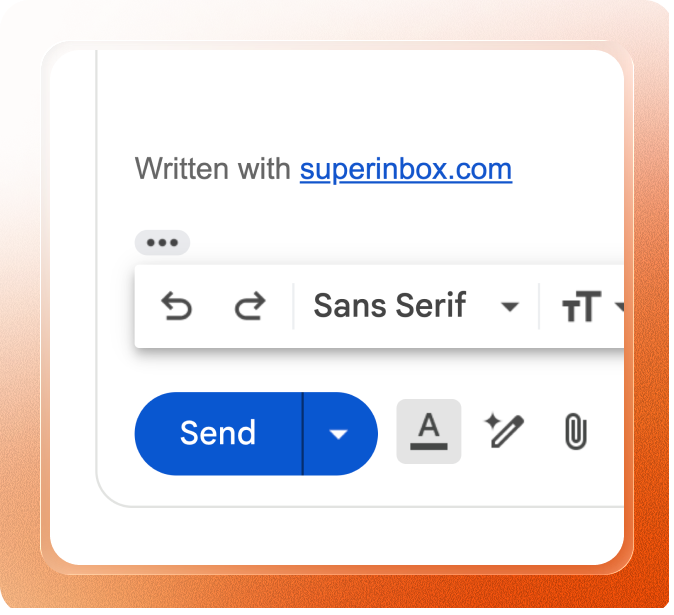 **Note**: By default, SuperInbox adds "Written with SuperInbox" after your usual signature on AI-generated drafts, not on emails you write completely from scratch.
## Signature settings & activation
* Email signature is **enabled**. It can only be removed and cannot be removed.
* It appears on all emails with AI-generated drafts.
* New users registering through your referral link get their first month of SuperInbox Pro for free.
* Email signature is **optional** - you can enable or disable it anytime.
* **Earn rewards**: Keep the signature and get one free month of your current plan when someone signs up through your signature link.
If you want to **activate or desactivate** the signature:
1. Go to your SuperInbox dashboard
2. Navigate to Settings > Signature
3. Toggle "On" or "Off" the signature link
**Note**: By default, SuperInbox adds "Written with SuperInbox" after your usual signature on AI-generated drafts, not on emails you write completely from scratch.
## Signature settings & activation
* Email signature is **enabled**. It can only be removed and cannot be removed.
* It appears on all emails with AI-generated drafts.
* New users registering through your referral link get their first month of SuperInbox Pro for free.
* Email signature is **optional** - you can enable or disable it anytime.
* **Earn rewards**: Keep the signature and get one free month of your current plan when someone signs up through your signature link.
If you want to **activate or desactivate** the signature:
1. Go to your SuperInbox dashboard
2. Navigate to Settings > Signature
3. Toggle "On" or "Off" the signature link